
Creating and Using API Spec Fragments
Using Anypoint Code Builder, you can create your own API fragments and publish them to Anypoint Exchange to share with other people, add fragments from Exchange to your API specification, or create fragments in your project to add directly to your API specification. Alternatively, you can create and add a fragment directly in your project without publishing it to Exchange.
Anypoint Code Builder supports scaffolding these schema fragment files if they’re referenced from API specs:
| Avro | JSON | RAML | |
|---|---|---|---|
AsyncAPI |
Yes |
Yes |
No |
GraphQL |
No |
No |
Yes |
OData |
No |
No |
Yes |
REST |
No |
Yes |
Yes |
SOAP |
No |
No |
Yes |
If you add a fragment that isn’t supported, the scaffolder doesn’t add these fragments as project dependencies when you import the spec from Exchange. However, you can scaffold schemas that are specified inline within the spec.
The process for adding a fragment from Exchange is:
-
Add the API fragment from Exchange to your API spec project as a dependency.
-
Add the API fragment to your API spec using the
$ref(OAS and AsyncAPI) or!include(RAML) directives.
The process for adding a fragment without publishing it to Exchange is:
-
Create and add a fragment directly in your project without publishing it to Exchange.
Use these examples to explore the functionality of Anypoint Code Builder:
-
example-oas-fragmentAPI spec fragment -
example-oas-api-specAPI spec -
example-asyncapi-avro-fragmentAsyncAPI spec Avro schema fragment -
example-asyncapi-specAsyncAPI spec -
example-asyncapi-spec-inline-avroAsyncAPI spec (inline Avro)
Before You Begin
Before adding fragments:
-
Understand the basics of designing API specifications.
To see where adding fragments fits in the journey from API design through deployment, see Take Your API Specification from Design Through Deployment in Mule.
-
Have some familiarity with business groups.
When you publish your API fragment to Exchange from Anypoint Code Builder, it requests the name of the business group. See Anypoint Platform Business Groups.
Create an API Fragment and Publish it to Exchange
The process for creating and publishing API spec fragments is similar to the process for API specs.
To create an API spec fragment:
-
In the activity bar, click the
 (Anypoint Code Builder) icon.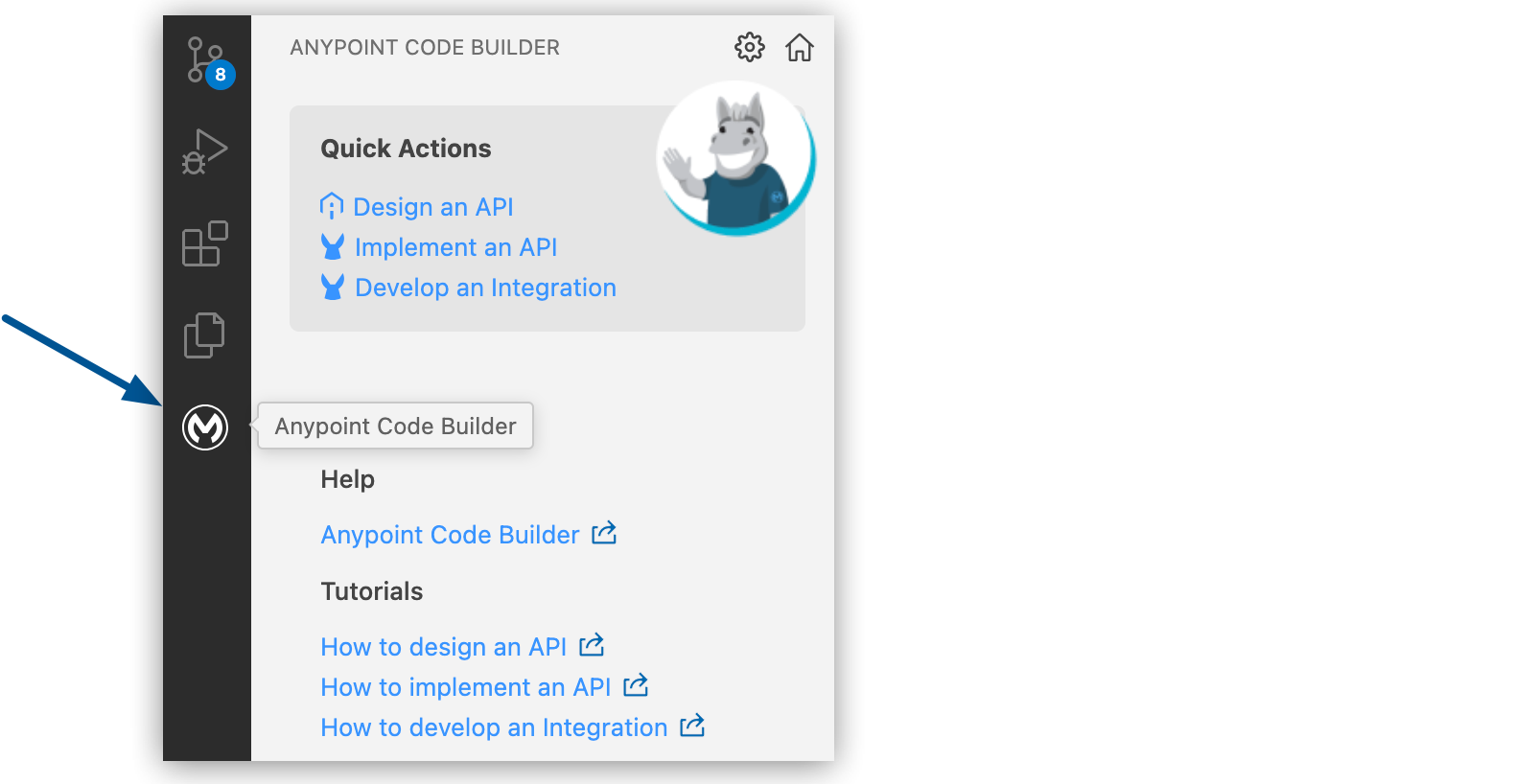
-
From Create, click Design an API:
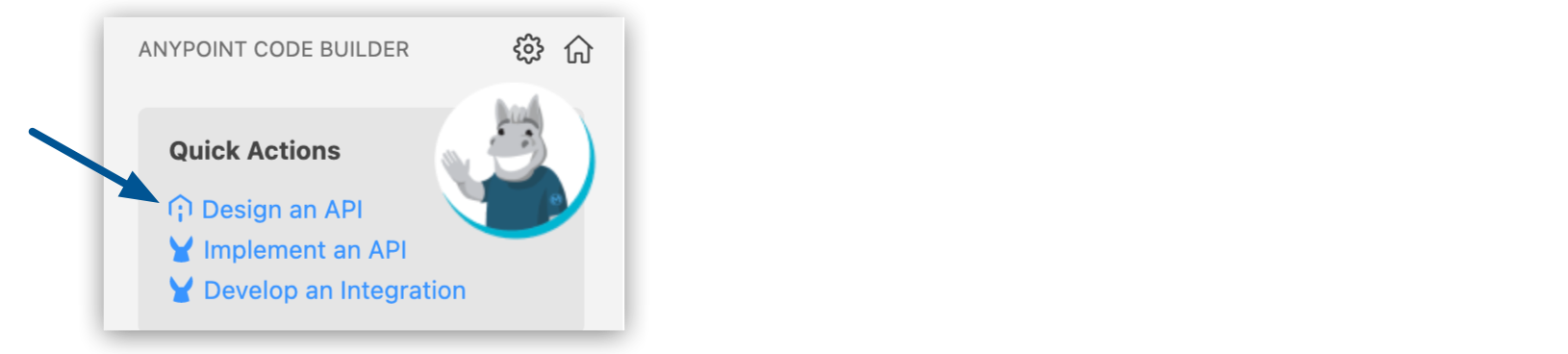
-
In Design an API, click the API Fragment tab:
Ensure that you select the API Fragment tab.
-
Complete the API Fragment form:
Field Name Field Value Project Name
Unique name for your fragment.
This name is used as the fragment title in Exchange and name of the fragment file. For example, if the project name is Example OAS Fragment, the specification file name is
example-oas-fragment.To reuse an existing project name, you must delete the project that is already using the name first. See Deleting API Specs and Fragments.
Project Location
Your home directory or another directory you create.
Don’t create the project within another project directory.
API Specification Language
Select OAS 3.0 (YAML) to use the example in this procedure.
<Language> Syntax
The syntax for the selected language.
Select YAML to use the example in this procedure.
-
Click Create Project.
If prompted, trust the authors of the files in the folder.
When the project is ready for editing, the API fragment project opens in the Explorer view. For example, this OAS 3.0 (YAML) API fragment:
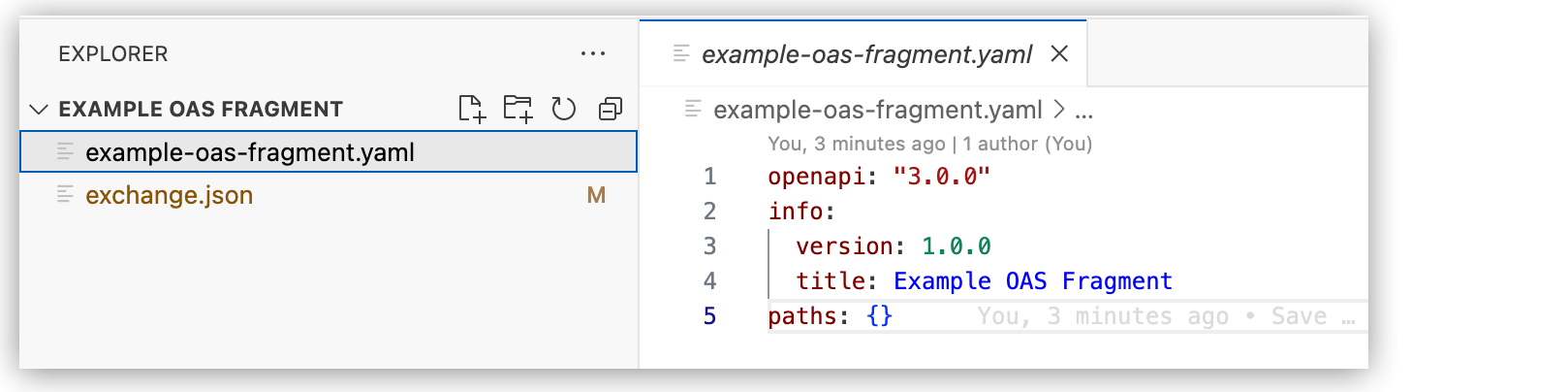
-
Continue designing your API fragment.
As you enter elements, use auto-complete (or press Ctrl+Space) to display available options within the context.
If you created an OAS 3.0 (YAML) fragment project, you can replace the initial API fragment with the example code to test adding fragments to a spec.
-
Publish your fragment to Exchange.
The status bar shows the progress. When complete, you see a message that the API fragment successfully published to Exchange.
-
Navigate to Anypoint Platform and log in using your credentials.
Show me how
-
US cloud (non-EU host): Anypoint Platform (US)
-
EU cloud (EU host): Anypoint Platform (EU)
-
-
Navigate to Anypoint Exchange.
Show me how
-
US cloud (non-EU host): Exchange (US)
-
EU cloud (EU host): Exchange (EU)
Your API specification appears as an API spec fragment type asset in your organization, for example:
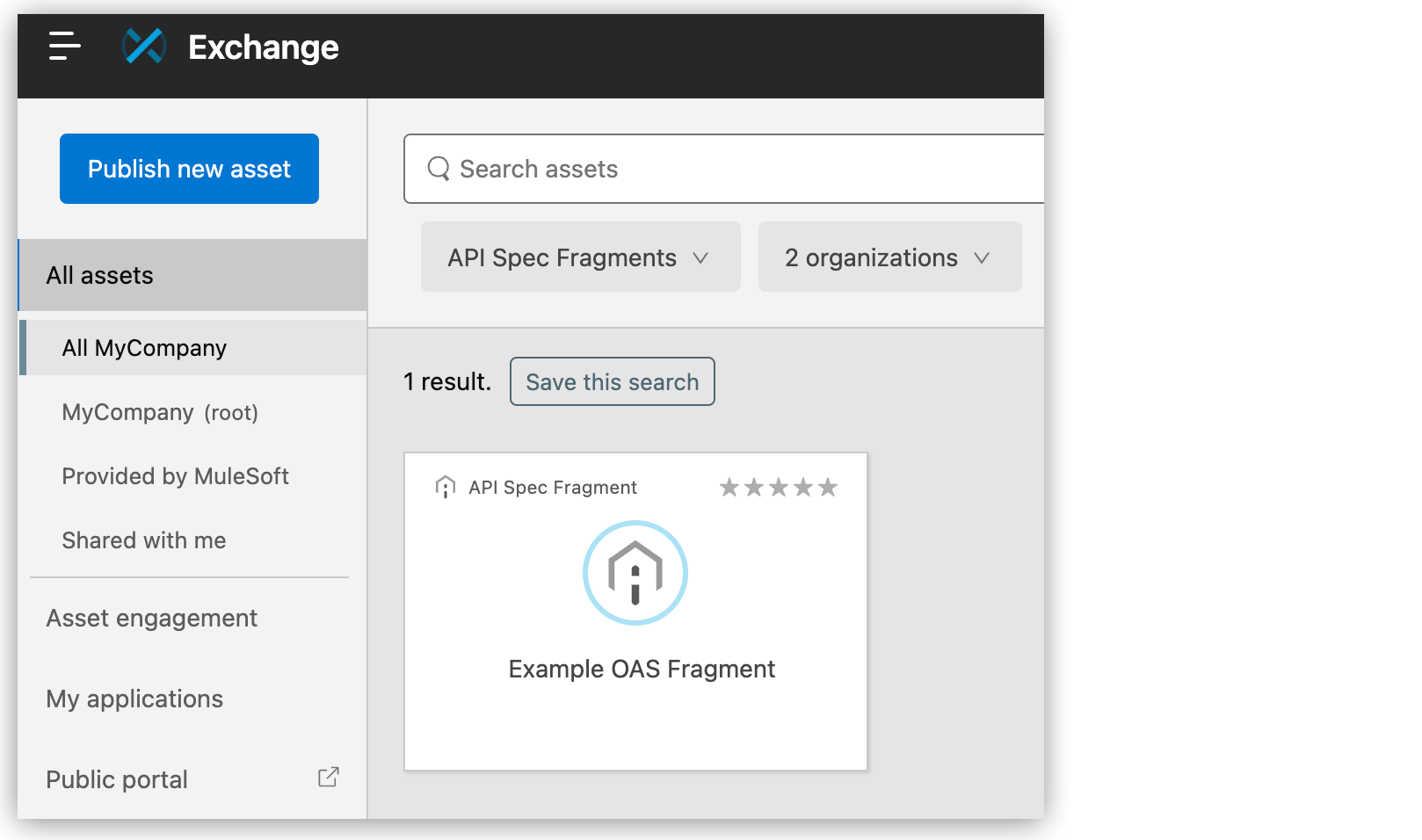
If your API spec appears on Exchange as a REST API rather than an API spec fragment, check that the
classifierattribute in theexchange.jsonfile in the project folder is set to one of the following, depending on the language:-
OAS:
oas-components -
RAML:
raml-fragment -
JSON Schema:
json-schema
If the attribute is set to one of the following, the project is an API spec rather than a fragment:
-
OAS:
oas -
RAML:
raml
-
Add a Fragment from Exchange to Your Project
To add an API spec fragment from Exchange to the project directory so that you can include the fragment in your spec:
-
Open your API spec project file, for example,
example-oas-spec. -
Open the Command Palette.
Show me how
-
Use the keyboard shortcuts:
-
Mac: Cmd+Shift+p
-
Windows: Ctrl+Shift+p
-
-
Select View > Command Palette.
-
-
Enter
mulesoftand select the following command:MuleSoft: Add Fragment dependency from Exchange -
If prompted, log in to Anypoint Platform.
-
In the Search for Asset field, provide the name of the data type asset to add.
To search for assets, type the search term and press Enter, for example:

-
Select the fragment from the Assets From Exchange menu.
-
Select a version of the fragment.
The status bar shows the progress. When complete, you see a message that the selected API fragment was successfully added to the project.
-
Verify that the fragment appears under Project Dependencies in Explorer, for example:
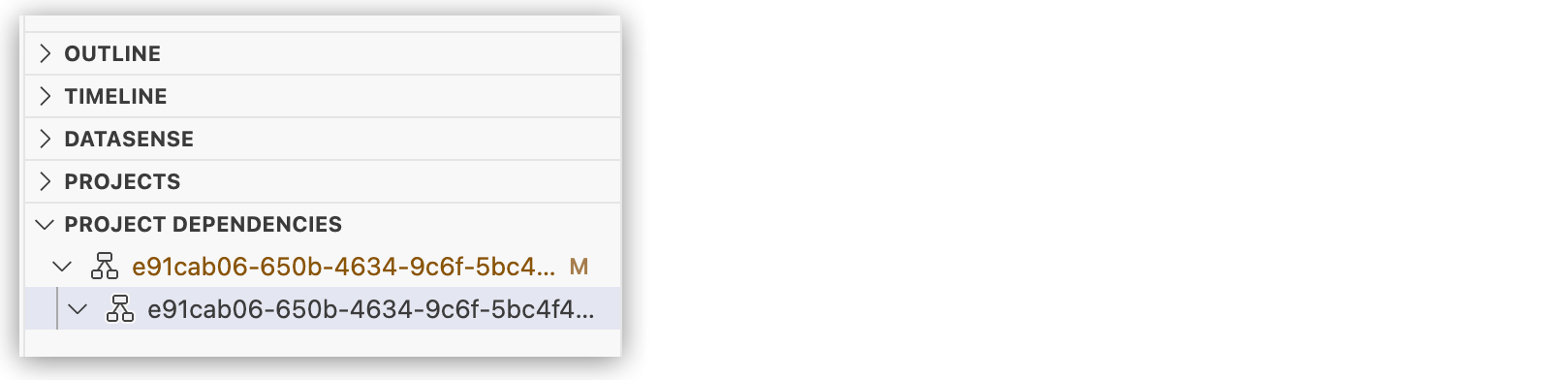
For more information, see Viewing Project Dependencies.
Add an API Fragment to Your API Spec
To add an API spec fragment to a spec:
-
Open your API spec project file, for example,
example-oas-spec. -
Place the cursor where you want to add the fragment.
-
Depending on the API spec language, select the directive to add the fragment to your specification.
-
OAS and AsyncAPI specs: Use the
$refdirective. -
RAML specs: Use the
!includedirective.
For OAS 3.0 and 3.1 APIs, scaffolding supports
$refAPI fragments from Exchange, including fragments with transitive dependencies. OAS 3.1 requires Mule runtime 4.13 or later and APIkit for Mule 4 1.13.2 or later. DataSense resolves types defined in fragment files when you scaffold into a Mule project that uses a supported Mule runtime version (currently Mule 4.9.19, Mule 4.11.6, and Mule 4.13).-
OAS Example
-
RAML Example
-
AsyncAPI Example
This
$refdirective adds theAmericanFlightDataTypefromexample-oas-fragmentas a data type:schema: $ref: exchange_modules/e91cab06-650b-4634-9c6f-5bc4f4fc4d17/example-oas-fragment/1.0.0/example-oas-fragment.yaml#/components/schemas/AmericanFlightDataTypeThis
!includedirective adds theAmericanFlightobject fromAmericanFlightDataType.ramlas a data type:types: AmericanFlight: !include exchange_modules/68ef9520-24e9-4cf2-b2f5-620025690913/training-american-flight-data-type/1.0.1/AmericanFlightDataType.ramlThis
$refdirective adds theAmericanFlightDataTypefromexample-asyncapi-fragmentas a data type:payload: $ref: exchange_modules/e91cab06-650b-4634-9c6f-5bc4f4fc4d17/example-asyncapi-fragment/1.0.0/example-asyncapi-fragment.json#/components/schemas/AmericanFlightDataType -
-
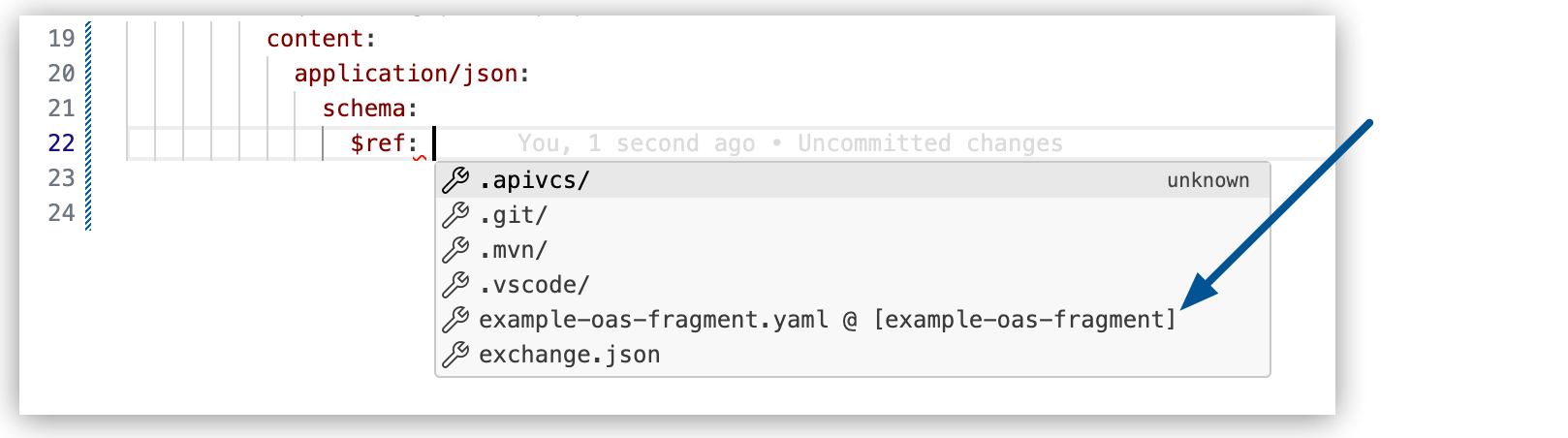
Use auto-complete (or press Ctrl+Space) to display available options within each context, for example:
-
To reference an element within a component defined in the fragment file:
-
Select the fragment file name.
-
Enter
#/. -
Press Ctrl+Space.
-
Select the element from the options, for example:

-
After adding the fragment to your spec, you can:
-
Navigate to the dependency:
Place the cursor on the fragment reference and press Command+Click. For example:

-
View the dependency in the API Console:
Place the cursor on the fragment reference and click the
 (API Console) icon to open the fragment in the console.
For more information, see Review Your Spec in the API Console.
Create and Add a Fragment Directly in Your Spec
To create a fragment in your project and include it in your specification:
-
Open your API spec project file, for example,
example-oas-spec. -
In the Explorer view, right-click on an empty space, and create a folder for your fragments, such as
fragments. -
In the
fragmentsfolder, create a new file, such asmy-fragmentand add your fragment code. -
Place the cursor where you want to add the fragment.
-
Depending on the API spec language, select the directive to add the fragment from the folder to your spec:
-
OAS and AsyncAPI specs: Use the
$refdirective. -
RAML specs: Use the
!includedirective.
-
OAS Example
-
RAML Example
-
AsyncAPI Example
This
$refdirective adds theapi_keyobject from themy-fragment.yamlfile:api-key: $ref: fragments/my-fragment.yaml#/components/securitySchemes/api_keyThis
!includedirective adds theAmericanFlightsExample.ramlexample:examples: output: !include examples/AmericanFlightExample.ramlThis
$refdirective adds thefragments/my-fragmentexample:payload: $ref: fragments/my-fragment -
-
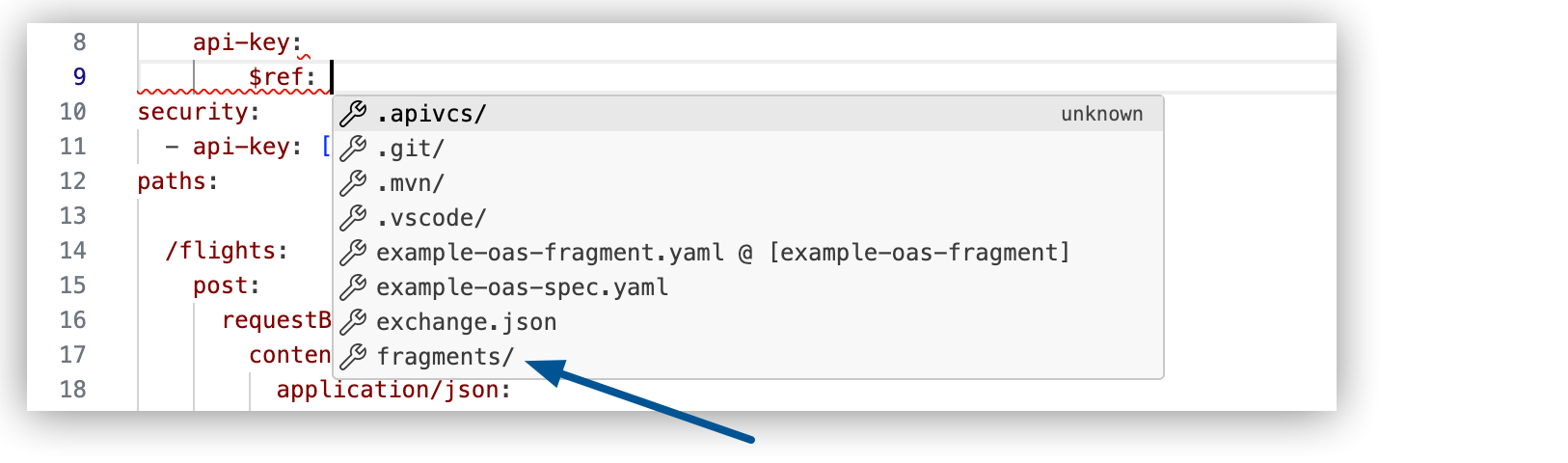
Use auto-complete (or press Ctrl+Space) to display available options within each context, for example:
-
To reference an element within a component defined in the fragment file:
-
Select the fragment file name.
-
Enter
#/. -
Press Ctrl+Space.
-
Select the element from the options, for example:
-
After adding the fragment to your spec, you can:
-
Navigate to the dependency:
Place the cursor on the fragment reference and press Command+Click. For example:
-
View the dependency in the API Console:
Place the cursor on the fragment reference and click the
(API Console) icon to open the fragment in the console.For more information, see Review Your Spec in the API Console.
Example OAS 3.0 (YAML) API Spec Fragment
If you created an OAS 3.0 (YAML) fragment project, you can replace the initial API fragment with following example code:
Example OAS 3.0 (YAML) API Spec Fragment
openapi: "3.0.0"
info:
  version: 1.0.0
  title: ExampleComponents
paths: {}

components:
  schemas:
    AmericanFlightDataType:
      type: object
      description: American Flight Data Type
      properties:
        ID:
          type: number
        code:
          type: string
        price:
          type: number
        departureDate:
          type: string
        origin:
          type: string
        destination:
          type: string
        emptySeats:
          type: number
        plane:
          type: object
          properties:
            type:
              type: string
            totalSeats:
              type: number
      example:
        ID: 1
        code: ER38sd
        price: 400
        departureDate: 2017/07/26
        origin: CLE
        destination: SFO
        emptySeats: 0
        plane:
          type: Boeing 737
          totalSeats: 150
Example OAS 3.0 (YAML) API Spec
If you created an OAS 3.0 (YAML) API spec project, you can replace the initial API spec with following example code to test adding the API spec fragments:
Example OAS 3.0 (YAML) API Spec
openapi: "3.0.0"
info:
  version: 1.0.0
  title: Example OAS Spec
paths:

  /flights/{ID}:
    get:
      parameters:
        -
          name: ID
          required: true
          in: path
          schema:
            type: string
      responses:
        "200":
          description: "Flight with ID"
          content:
            application/json:
              schema:
Example AsyncAPI Spec Avro Schema Fragment
If you created an Avro schema fragment, you can replace the initial API fragment with following example code:
Example AsyncAPI Spec Avro Schema Fragment
{
  "name": "AmericanFlightDataType",
  "type": "record",
  "fields": [
    {"name": "ID", "type": "int", "example": 1},
    {"name": "code", "type": "string", "example": "ER38sd"},
    {"name": "price", "type": "int", "example": 400},
    {"name": "departureDate", "type": "string", "example": "2017/07/26"},
    {"name": "origin", "type": "string", "example": "CLE"},
    {"name": "destination", "type": "string", "example": "SFO"},
    {"name": "emptySeats", "type": "int", "example": 0},
    {
      "name": "plane",
      "type": {
        "name": "Plane",
        "type": "record",
        "fields": [
          {"name": "type", "type": "string"},
          {"name": "totalSeats", "type": "int"}
        ]
      }
    }
  ]
}
Example AsyncAPI Spec
If you created an AsyncAPI spec project, you can replace the initial API spec with following example code to test adding the API spec fragments:
Example AsyncAPI Spec
asyncapi: 2.6.0
info:
  title: Example AsyncAPI Spec
  version: '1.0.0'
channels:
  myChannel:
    publish:
      message:
        schemaFormat: application/vnd.apache.avro;version=1.9.0
        payload:
          $ref: exchange_modules/e91cab06-650b-4634-9c6f-5bc4f4fc4d17/example-asyncapi-fragment/1.0.0/example-asyncapi-fragment.json
Example AsyncAPI Spec (Inline Avro)
If you created an AsyncAPI spec project, you can replace the initial API spec with following example code to test inlining the API spec fragments:
Example AsyncAPI Spec (Inline Avro)
asyncapi: 2.6.0
info:
  title: Example AsyncAPI Spec (Inline Avro)
  version: '1.0.0'
channels:
  myChannel:
    publish:
      message:
        schemaFormat: 'application/vnd.apache.avro;version=1.9.0'
        payload:
          name: AmericanFlightDataType
          type: record
          fields:
            - name: ID
              type: int
              example: 1
            - name: code
              type: string
              example: ER38sd
            - name: price
              type: int
              example: 400
            - name: departureDate
              type: string
              example: 2017/07/26
            - name: origin
              type: string
              example: CLE
            - name: destination
              type: string
              example: SFO
            - name: emptySeats
              type: int
              example: 0
            - name: plane
              type:
                name: Plane
                type: record
                fields:
                  - name: type
                    type: string
                  - name: totalSeats
                    type: int