
Forward Mule API Analytics Events to External Systems
Mule API Analytics event forwarding sends API traffic telemetry to third-party analytics, security, or operations tools when built-in views are not enough. You can pull events on a schedule with the Analytics Event API within its retention and throttling rules, configure gateways to POST GZIP-compressed batches to an HTTPS endpoint you operate, or export through Runtime Manager integrations. If gateways post only to your endpoint and skip Anypoint Platform ingestion, Mule API Analytics and API Manager no longer show those calls, so decide visibility requirements before you rely on that path.
Paths to export Mule API Analytics events
-
Use the Analytics Event API to pull data on demand. The API enforces limits on how often and how many events you can retrieve, and events can arrive up to ten minutes after they occur.
-
Forward Mule API Analytics events from the gateway to a configured HTTP endpoint. On CloudHub, set the
anypoint.platform.analytics_base_urigateway property from the Settings tab of Runtime Manager.This property sets the base URL where events are posted.
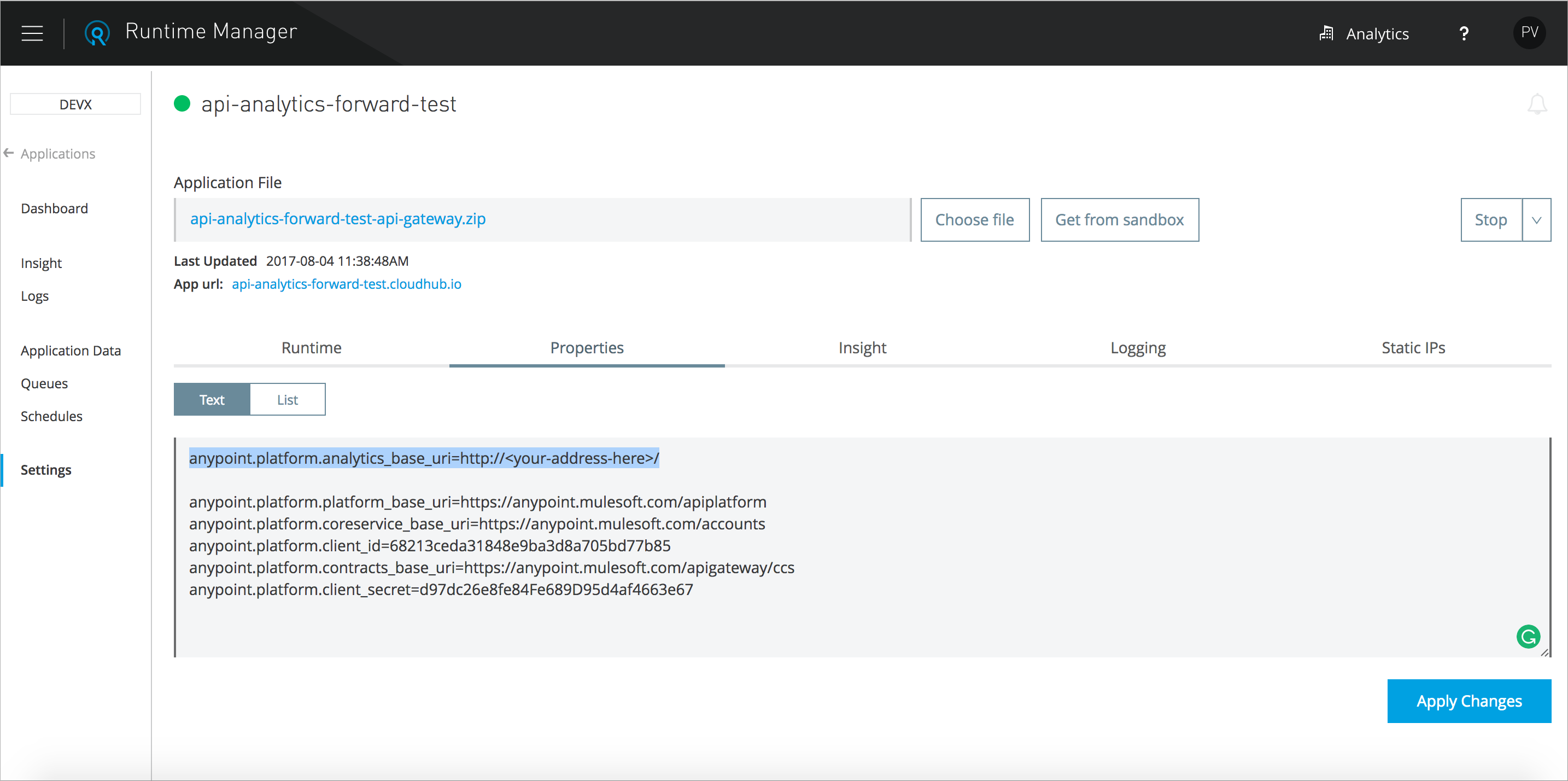
In the example above, events are published to http://<your-address-here>/v2/analytics/events using the POST method and GZIP for compression.
This approach can skip publishing events to Anypoint Platform, so Mule API Analytics and API Manager do not display information about those API calls.
-
Use Runtime Manager to Export Data to External Analytics Tools.