
Create an APIkit for SOAP Project
Create a Mule project from a WSDL so Anypoint Studio generates APIkit for SOAP flows and stores the contract under src/main/resources/api. Meet the prerequisites for using APIkit for SOAP first. After you pick the service and port, run the application and retrieve the published WSDL from the HTTP endpoint to verify the service.
-
In Anypoint Studio, from File, select New > Mule Project.
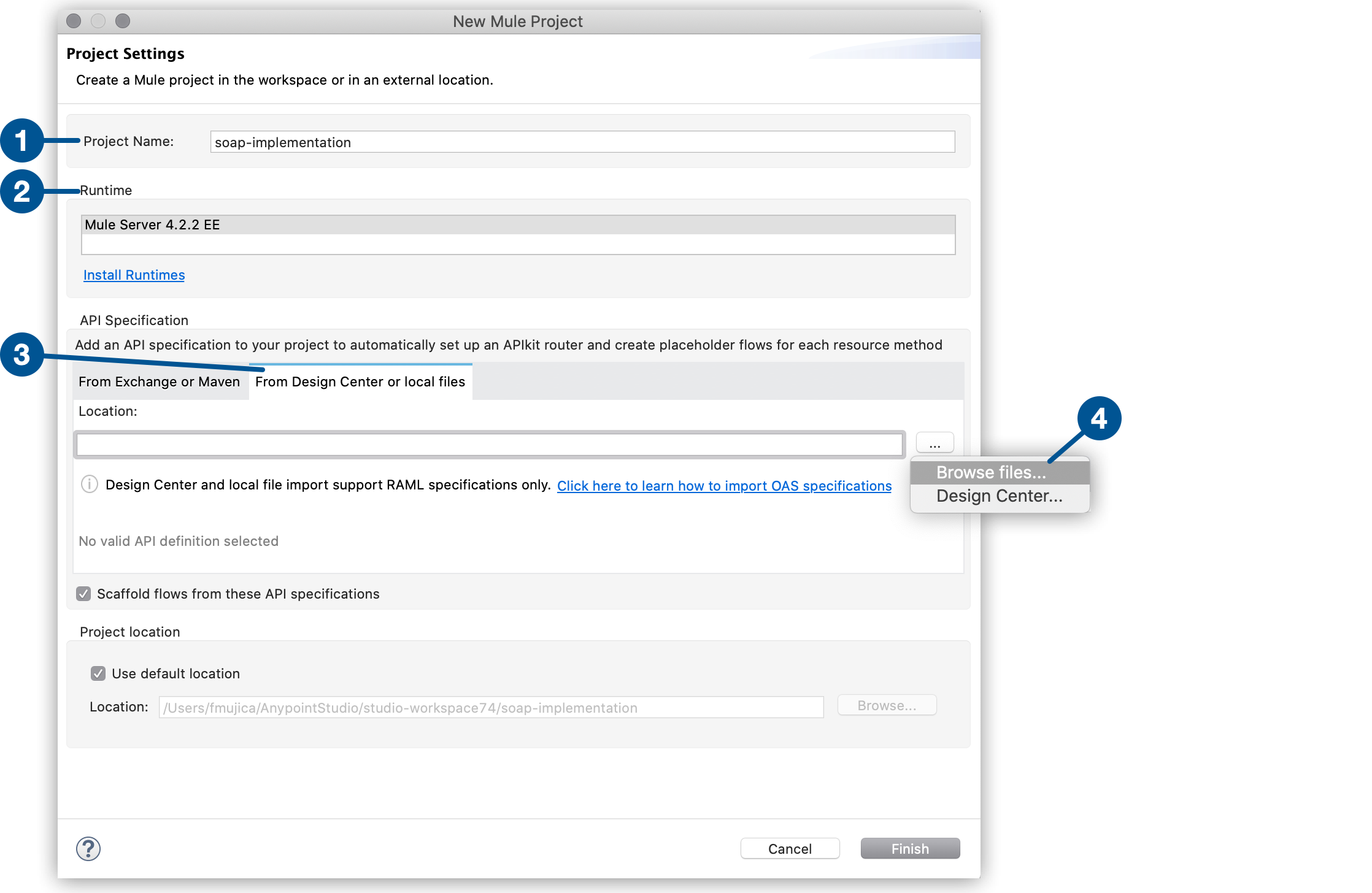
| 1 | In Project Name, enter a name for the project. For example, soap-implementation. |
| 2 | Select the Mule runtime engine version. For example, Mule Server 4.2.2 EE. |
| 3 | In API Specification, select From Design Center or Local Files. |
| 4 | Select Browse files from the More actions menu. |
-
Select a service and port. For this example, accept the default values,
TshirtServiceandTshirtServicePort.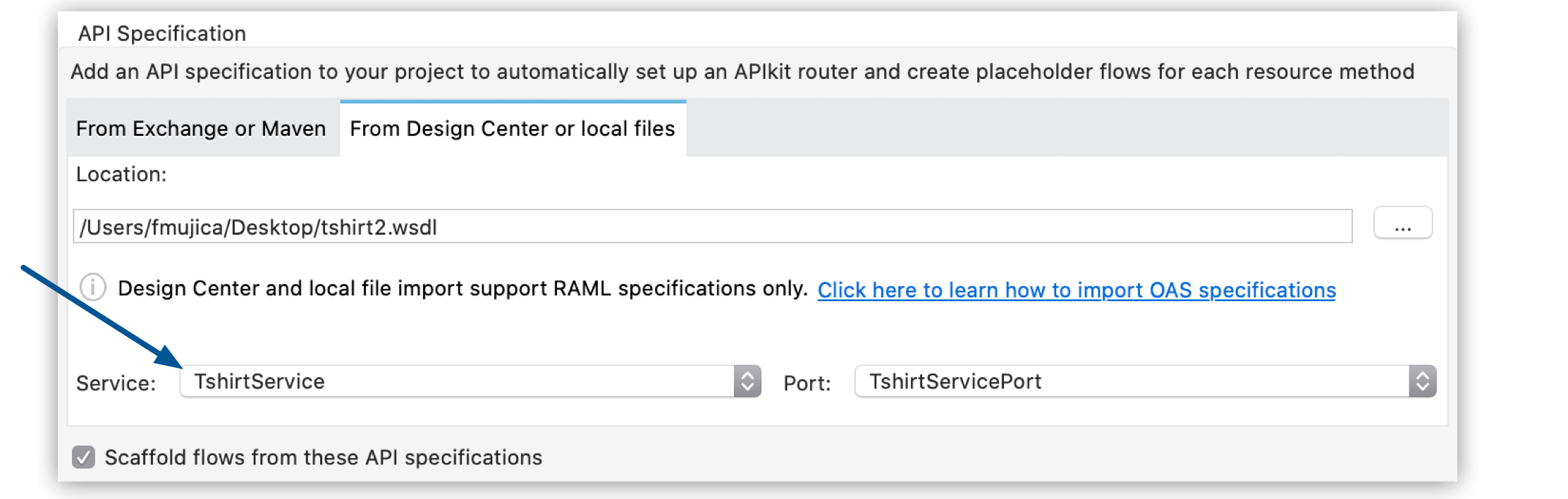
-
Click Finish.
The new project appears with the WSDL file in the
src/main/resources/apifolder. -
Right-click a blank area of the canvas and select Run Project.
-
In your SOAP UI client, go to
http://localhost:8081/TshirtService/TshirtServicePort?wsdl.The SOAP service returns the content of your WSDL file.
If you update your WSDL file, regenerate your flows by right-clicking your WSDL file and selecting Mule > Generate Flows From WSDL.