
Validating Query Parameters and Headers
Restrict query parameters and headers on APIkit for REST to the names your RAML or OpenAPI Specification defines. Turn on strict validation in the APIkit Router configuration in Studio, or set the matching attributes on apikit:config in XML when you need repeatable deployments.
-
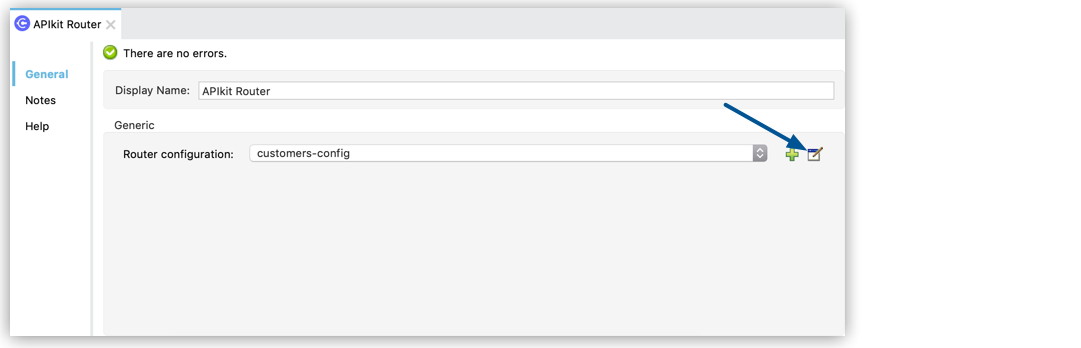
In Studio, select APIkit Router.

-
Click Edit for your router configuration.
-
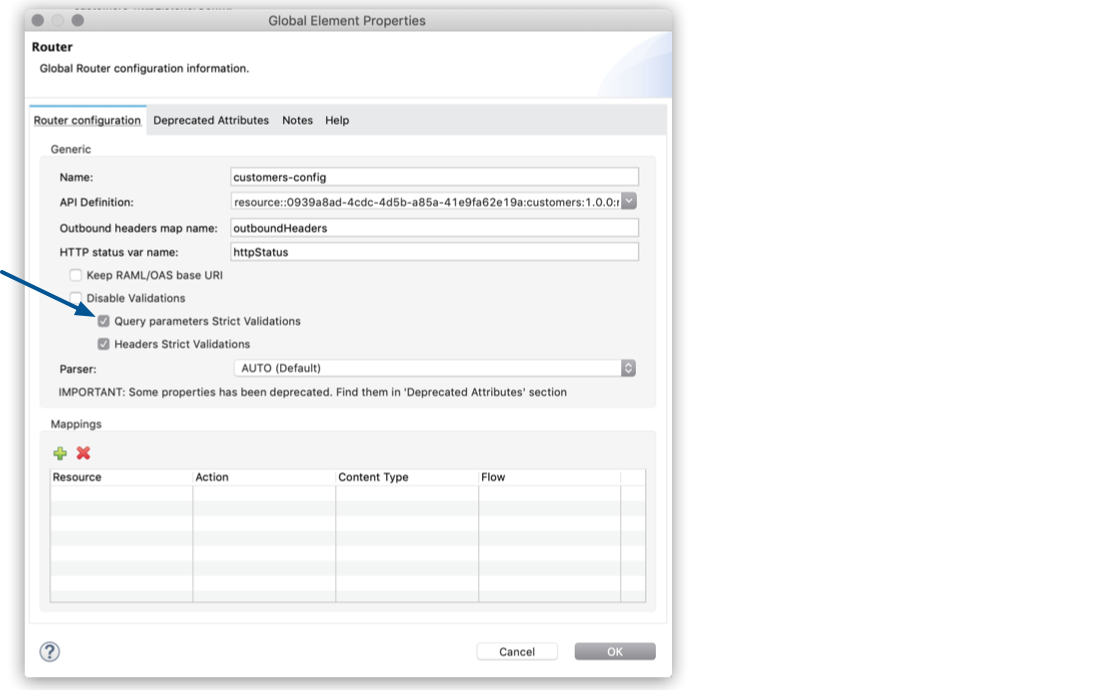
Select Query Parameters Strict Validations to restrict the usage of query parameters to the ones defined in your API specification.
-
Select Headers Strict Validations to limit the headers to the ones specified in your API specification.
You can also configure APIkit Router to validate headers and query parameters by updating the APIkit configuration in XML:
<apikit:config  name="api-config"
                api="api.raml"
                outboundHeadersMapName="outboundHeaders"
                httpStatusVarName="httpStatus"
                queryParamsStrictValidation="true"
                headersStrictValidation="true" />
Disable Validation of Query Parameters and Headers
Disable the validation of query parameters and headers to minimize latency.
-
In Studio, select APIkit Router.
-
Click Edit for your router configuration.
-
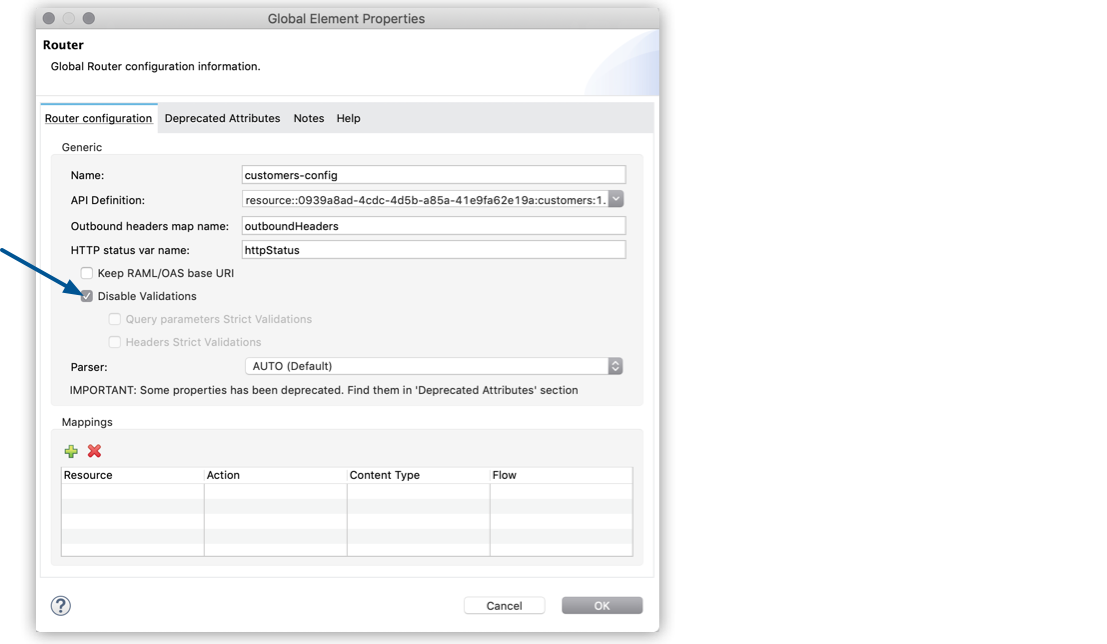
Select Disable Validations.
You can also disable the validation of query parameters and headers to minimize latency by updating the APIkit configuration in XML:
<apikit:config  name="api-config"
                api="api.raml"
                outboundHeadersMapName="outboundHeaders"
                httpStatusVarName="httpStatus"
                disableValidations="true" />