Git ステージングビューリファレンス
Git ステージングビューを使用すると、RAML と OAS 2.0 および 3.0 API 仕様をオフラインで編集して変更を Design Center にプッシュするようにバージョン管理システム (VCS) プロセスを制御できます。
[Unstaged Changes (ステージングされていない変更)] セクション
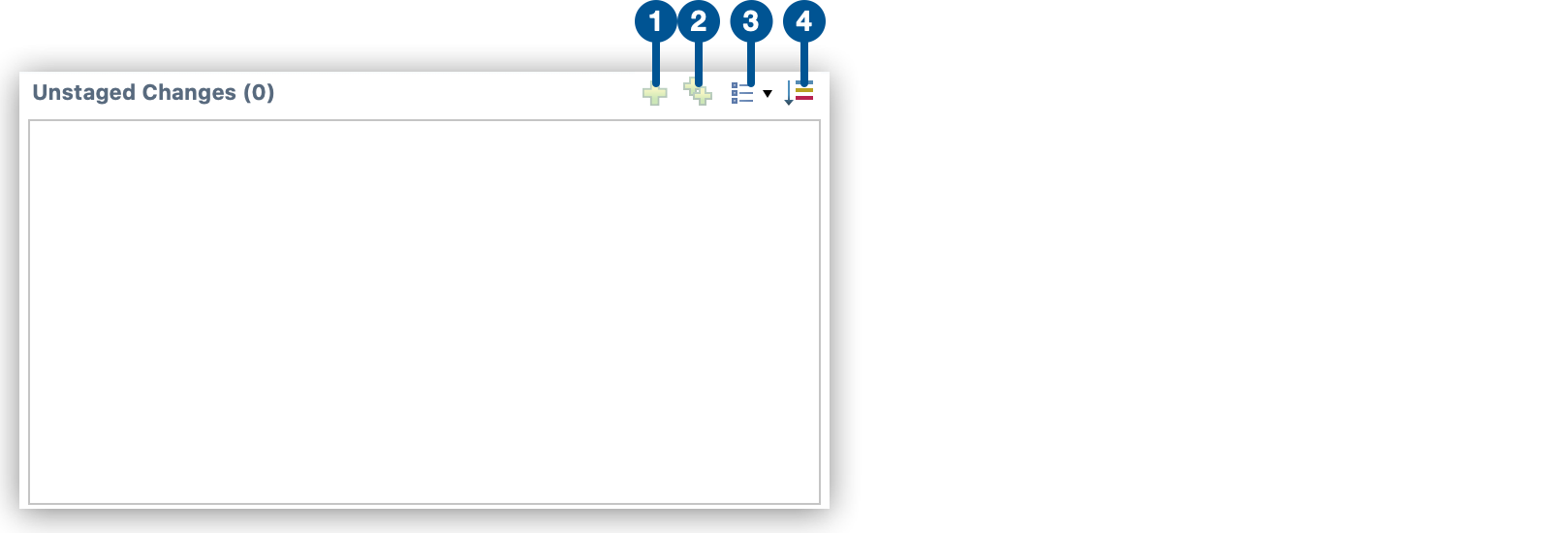
| 1 |  Add selected files to the index (選択したファイルをインデックスに追加する) Add selected files to the index (選択したファイルをインデックスに追加する)選択したファイルをインデックスに追加してコミットします。 |
| 2 |  Add all files including not selected ones to the index (未選択ファイルを含めたすべてのファイルをインデックスに追加する) Add all files including not selected ones to the index (未選択ファイルを含めたすべてのファイルをインデックスに追加する)[Unstaged Changes (ステージングされていない変更)] セクションのすべての編集済みファイルをインデックスに追加してコミットします。 |
| 3 |  Presentation (プレゼンテーション) Presentation (プレゼンテーション)未ステージングセクションとステージング済みセクションのビューを変更します。他には次のビューがあります。
|
| 4 |  Sort by state (状態で並び替える) Sort by state (状態で並び替える)未ステージングセクションのファイルを状態によって並び替えます。 |
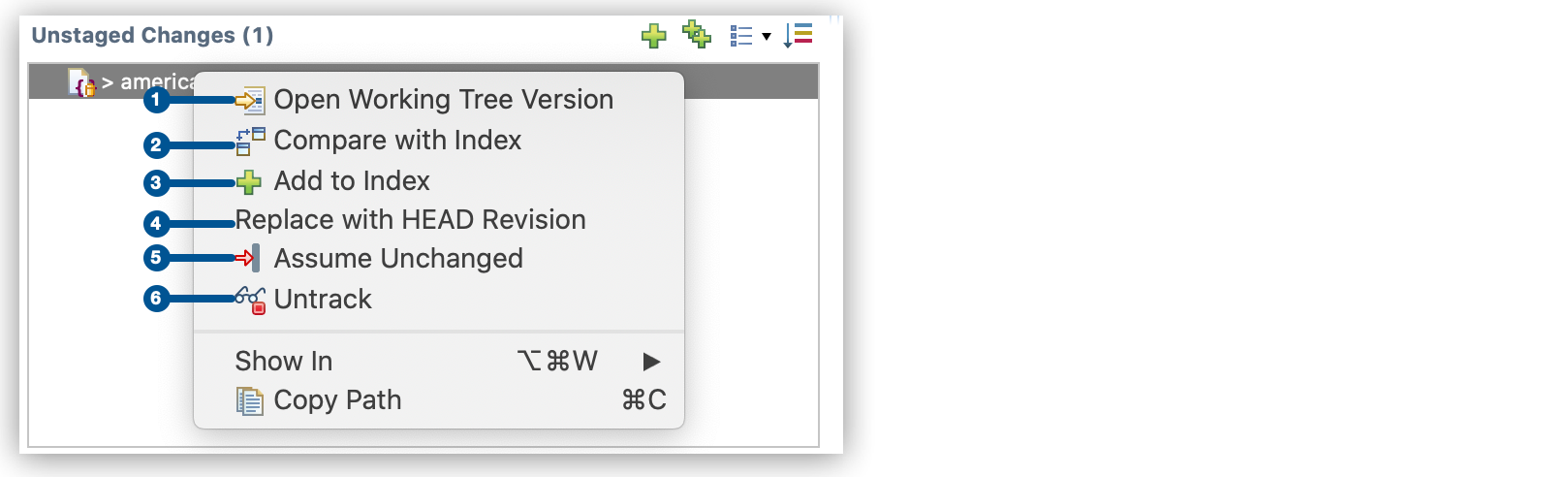
| 1 |  Open Working Tree Version (ワーキングツリーバージョンを開く) Open Working Tree Version (ワーキングツリーバージョンを開く)ローカルで変更されている、選択したファイルを開きます。 |
| 2 |  Compare with Index (インデックスと比較する) Compare with Index (インデックスと比較する)変更内容を、選択したファイルのインデックスバージョンと比較します。 |
| 3 |  Add to Index (インデックスに追加する) Add to Index (インデックスに追加する)選択したファイルをインデックスに追加してコミットします。 |
| 4 | HEAD の修正と置換する コミットされていないファイルへの変更を破棄します。 |
| 5 |  Assume Unchanged (未変更と想定する) Assume Unchanged (未変更と想定する)選択したファイルを VCS 管理の対象から除外します。 このオプションは、ローカルで変更したものの、Design Center にはプッシュしないファイルを無視する場合に使用します。 |
| 6 |  Untrack (追跡しない) Untrack (追跡しない) |
[Staged Changes (ステージング済みの変更)] セクション
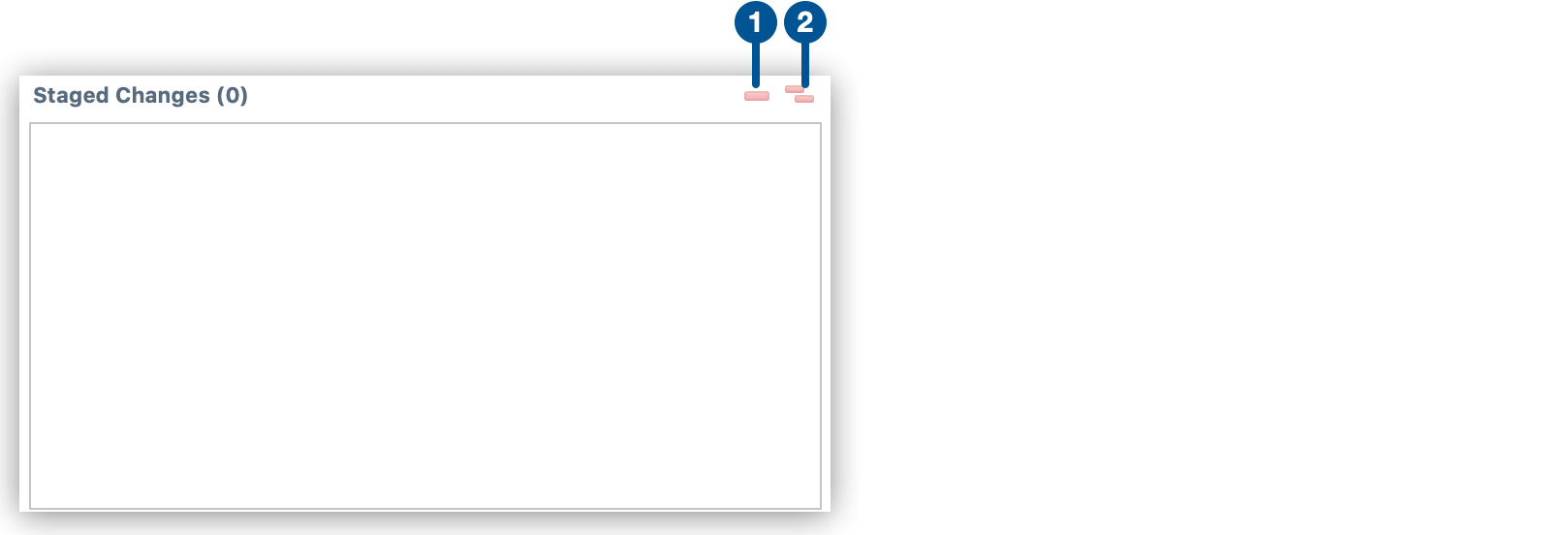
| 1 |  Remove selected files from the index (選択したファイルをインデックスから削除する) Remove selected files from the index (選択したファイルをインデックスから削除する)選択したファイルをインデックスから削除します。 |
| 2 |  Remove all files including not selected ones from the index (未選択ファイルを含めたすべてのファイルをインデックスから削除する) Remove all files including not selected ones from the index (未選択ファイルを含めたすべてのファイルをインデックスから削除する)ステージング済みセクションのすべてのファイルをインデックスから削除します。 |
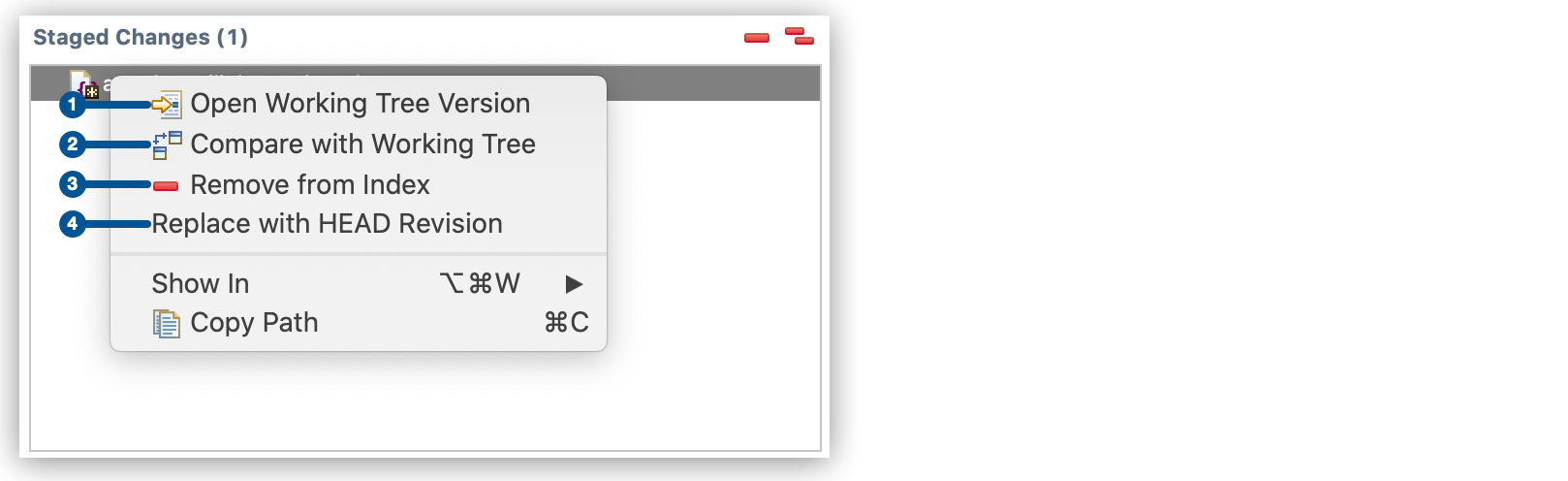
| 1 |  Open working Tree Version (ワーキングツリーバージョンを開く) Open working Tree Version (ワーキングツリーバージョンを開く)ローカルで変更したバージョンのファイルを開きます。 |
| 2 |  Compare with Working Tree (ワーキングツリーと比較する) Compare with Working Tree (ワーキングツリーと比較する)ステージング済みの変更を、ローカルコピーの変更と比較します。 |
| 3 |  Remove from Index (インデックスから削除する) Remove from Index (インデックスから削除する)選択したファイルをインデックスから削除します。 |
| 4 | HEAD の修正と置換する コミットされていないファイルへの変更を破棄します。 |