
Viewing Anypoint MQ Usage Data
Anypoint MQ uses API requests to calculate billing. To access usage data, use Anypoint Usage Reports or the Anypoint Usage API.
- API requests
-
API requests are used to calculate your monthly quota for billing.
-
Every API call (via the connector or API) to Anypoint MQ counts as one API request.
All requests to the Anypoint MQ Broker API count against your monthly quota. Requests include sending, receiving, and acknowledging messages and operations on queues and exchanges.
Requests to the Anypoint MQ Stats API don’t count against your monthly usage.
-
You can retrieve up to 10 messages from a single API call, which only bills as one request.
Even if the request to retrieve messages does not return a message (for example, if the queue is empty), it bills as a single API request.
-
If a queue sends a message to a DLQ, the message is not charged against the billable API requests.
However, if a client sends a message directly to a DLQ, that request is charged.
-
|
Enabling failover for a queue can result in increased API requests because Anypoint MQ Connector periodically checks the fallback queue for messages to consume. For more information, see Configure the Frequency of Fallback Queue Checks. |
- Message units
-
Message units are not used for billing.
Message units are used by Anypoint MQ to determine the size of message data in the response.
-
Each message unit contains 100 KB of data.
-
Message units are counted by the number of encoded characters in a message.
-
If your usage exceeds your license limit, Anypoint MQ continues to work. MuleSoft notifies your account administrator and team with any billing-related information.
Access Anypoint MQ Usage Reports
To view Anypoint MQ usage reports in Usage:
-
In Anypoint Platform, go to Usage.
-
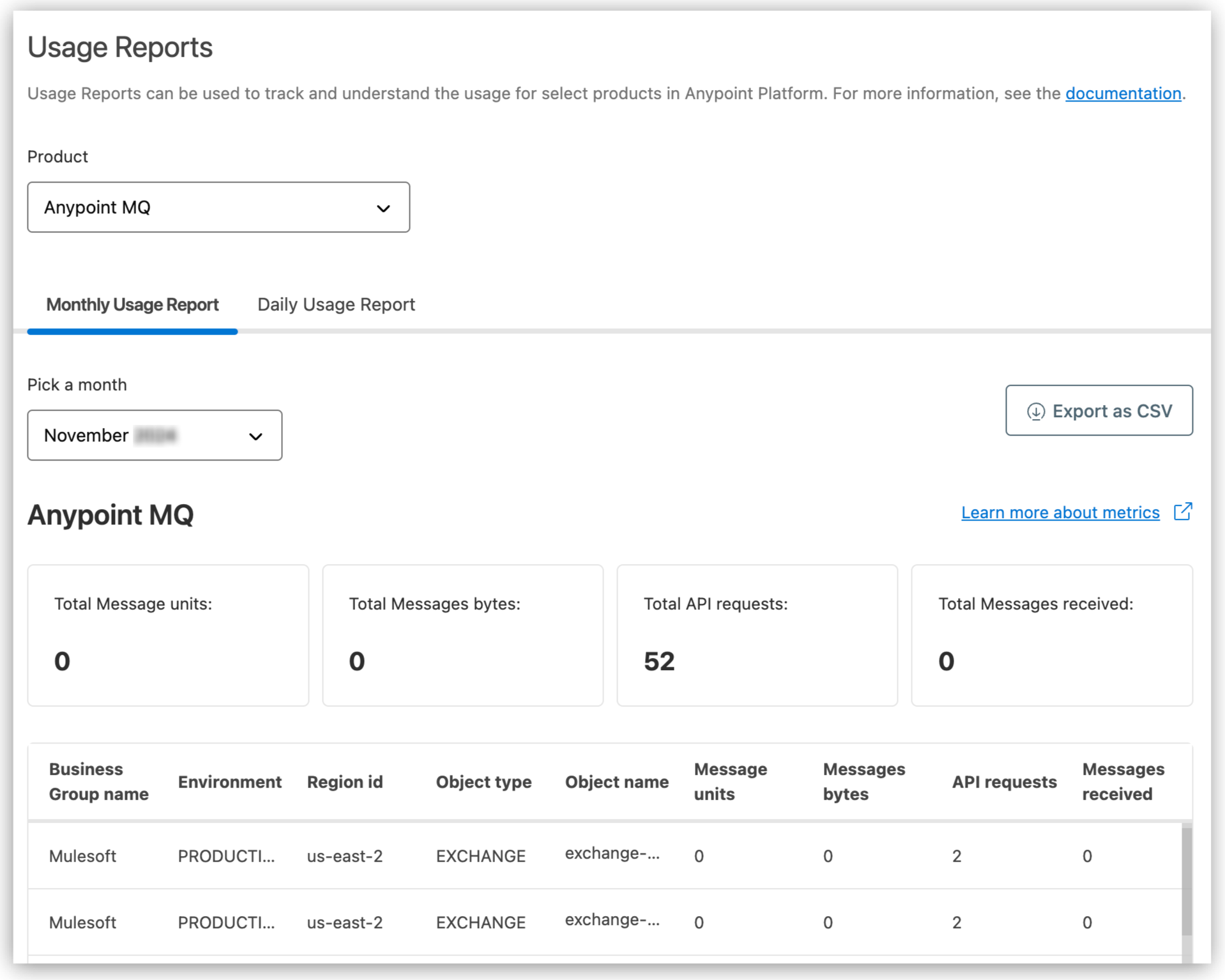
Select Anypoint MQ in the Product section:
-
Select a month from the Monthly Usage Report tab or day from the Daily Usage Report tab.
The report shows usage for the selected period (total and by object):
-
Message units
-
Message bytes
-
API requests
-
Messages received
-
-
Click Export as CSV to download the usage for the selected period.
For more information, see Usage Reports.
Retrieve Usage Metrics with the Anypoint Usage API
To retrieve Anypoint MQ usage metrics programmatically, use the Anypoint Usage API.
The Anypoint Usage API uses AMQL (Anypoint Metric Query Language), a SQL-like query language, to query usage meters.
Before You Begin
-
Get a bearer token for an Anypoint Platform user with the Usage Viewer permission at the root organization level.
See Get a Bearer Token.
Discover Available Meters
To view all available Anypoint MQ meters and their column names:
curl -X GET 'https://anypoint.mulesoft.com/metering/usage/api/v1/meters:describe' \
  -H 'Authorization: Bearer <BEARER_TOKEN>'
Query Anypoint MQ Usage
To retrieve API request counts for your organization, submit a POST request using AMQL:
curl -X POST 'https://anypoint.mulesoft.com/metering/usage/api/v1/meters:search' \
  -H 'Content-Type: application/json' \
  -H 'Authorization: Bearer <BEARER_TOKEN>' \
  -d '{
    "query": "SELECT api_requests FROM anypoint_mq_api_requests_count WHERE timestamp between <START_EPOCH_MS> and <END_EPOCH_MS> TIMESERIES P1D"
  }'
Replace START_EPOCH_MS and END_EPOCH_MS with epoch milliseconds for your date range.
|
The Usage API uses epoch milliseconds, not ISO 8601 strings.
For example, |
AMQL Query Reference
SELECT <columns>
FROM <meter>
WHERE timestamp between <start_epoch_ms> and <end_epoch_ms>
  [AND org_id = '<ORG_ID>']
  [AND env_id = '<ENV_ID>']
TIMESERIES <P1M|P1D>| Parameter | Description | Values |
|---|---|---|
|
Granularity of results |
|
Daily range ( |
Maximum query interval |
30 days |
Monthly range ( |
Maximum query interval |
60 days |
Data recency |
Delay for data consolidation |
3-day delay |
SELECT * is not supported. Always specify column names explicitly.
Use the :describe endpoint to get the current column names for each meter.
|
| Anypoint MQ Stats API calls do not count against your monthly API request usage. For near real-time queue and exchange statistics, continue using the Anypoint MQ Stats API. |