Object Store v2 REST APIs
|
Where possible, we changed noninclusive terms to align with our company value of Equality. We maintained certain terms to avoid any effect on customer implementations. |
The Object Store v2 APIs enable you to use REST to:
-
Retrieve a list of object stores and keys associated with an application.
-
Store and retrieve key-value pairs in an object store.
-
Delete key-value pairs from an object store.
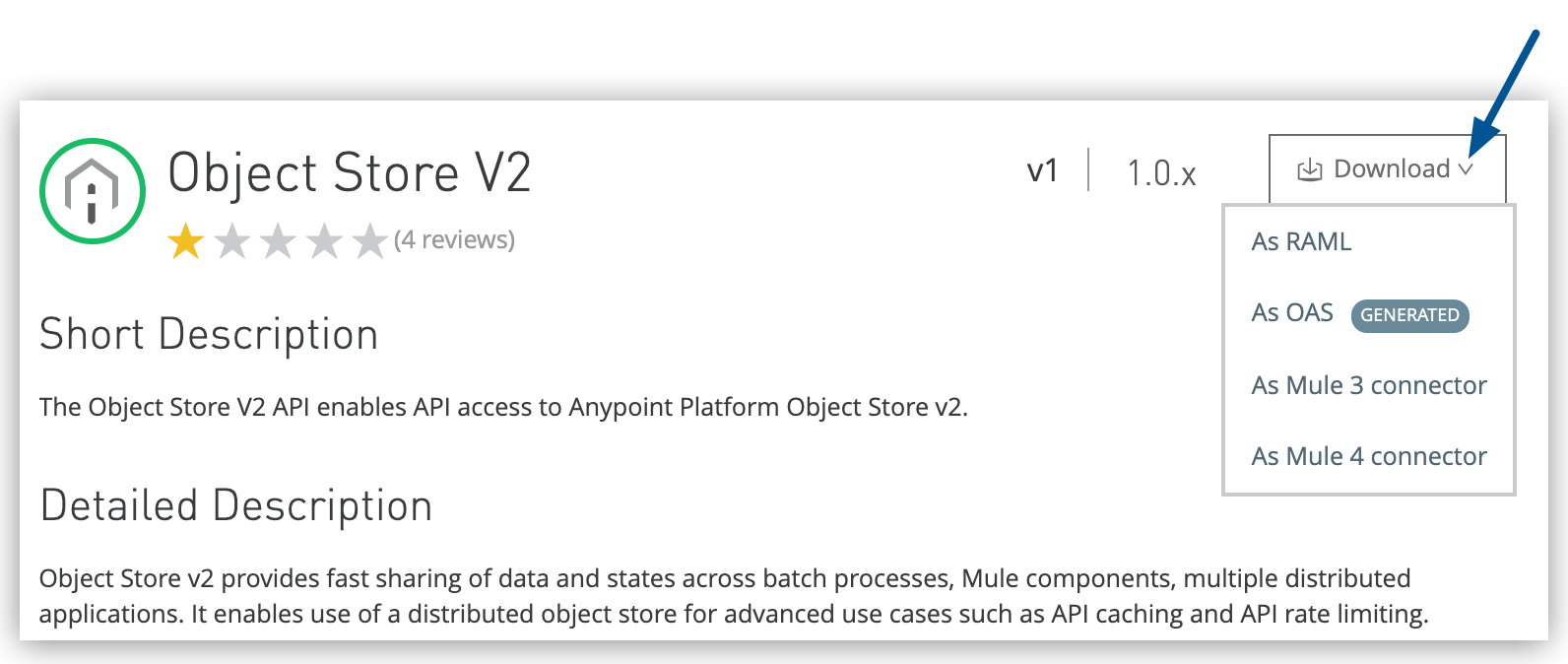
Object Store provides these APIs:
Before You Begin
-
Create an app that uses Object Store v2 and deploy it to CloudHub.
-
Get the bearer token for an Anypoint Platform user using the Access Management API:
You need the bearer token to access all Object Store v2 APIs.
-
You need the organization ID and environment ID for operations with all Object Store v2 APIs.
-
You need the region ID for operations with the Object Store v2 API.
-
You need the store ID for operations with the Object Store v2 API.
Get a Bearer Token to Use with the Object Store v2 APIs
- If MFA (multi-factor authentication) is enabled
-
Use a connected app to get the bearer token:
-
Assign the connected app the Organization Administrator scope to access the organization and environment queries.
-
From the Connected Apps page, click Copy Id and Copy Secret for the app you just created.
Use this client ID and client secret to get the bearer token required to authenticate with the Object Store v2 API.
-
Run this command to get the bearer token from the connected app client ID and client secret:
curl --location '<AUTH_SERVER_HOST>/accounts/api/v2/oauth2/token' \
   --header 'Content-Type: application/json' \
    --data '{
      "client_id": "<CLIENT_ID>",
      "client_secret": "<CLIENT_SECRET>",
      "grant_type": "client_credentials"
      }'
Replace AUTH_SERVER_HOST with the URL of the authorization server, for example
https://anypoint.mulesoft.com/.The output includes the bearer token:
{ "access_token": "<BEARER_TOKEN>", "token_type": "bearer" } -
Use this bearer token to access any Object Store v2 API that requires a bearer token.
-
- If MFA isn’t enabled
-
Authenticate with the credentials of a user with the Organization Administrator permission:
-
Run this command to get the bearer token:
curl -H \
  "Content-Type: application/json" \
  -X POST -d '{"username":"<USERNAME>","password":"<PASSWORD>"}' \
  "<AUTH_SERVER_HOST>accounts/login"
Replace AUTH_SERVER_HOST with the URL of the authorization server, for example
https://anypoint.mulesoft.com/.Make sure the user has the Organization Administrator permission to access the organization and environment queries.
The output includes the bearer token:
{ "access_token": "<BEARER_TOKEN>", "expires_in": 3600, "token_type": "bearer" } -
Use this bearer token to access any Object Store v2 API that requires a bearer token.
-
Get the Organization ID and Environment ID
To get the ORG_ID, run this command, replacing AUTH_SERVER_HOST with the authorization server:
curl -X GET https://<AUTH_SERVER_HOST>/accounts/api/me \
  -H "Authorization: Bearer <BEARER_TOKEN>"
The response includes output similar to:
"organization": {
    "name": "MyCompany",
    "id": "ORG_ID",
  },
To get the ENV_ID, run this command, replacing AUTH_SERVER_HOST with the authorization server:
curl -X GET https://<AUTH_SERVER_HOST>/accounts/api/organizations/<ORG_ID>/environments \
  -H "Authorization: Bearer <BEARER_TOKEN>"
The response includes output similar to:
"environments": [
  {
    "id": "ENV_ID",
    "name": "Production",
    "organizationId": "ORG_ID",
  },
]
Get the Region ID
To get the region ID (REGION_ID), run this command, replacing BASE_URL:
curl -X GET \
 'https://<BASE_URL>/api/v1/organizations/<ORG_ID>/regions' \
-H 'authorization: Bearer <BEARER_TOKEN>'Get the Store ID
To get the store ID (STORE_ID), run this command, replacing BASE_URL:
curl -X GET \
 'https://<BASE_URL>/api/v1/organizations/<ORG_ID>/environments/<ENV_ID>/stores' \
-H 'authorization: bearer <BEARER_TOKEN>'Object Store v2 API
The Object Store v2 API reads and writes key,list values,
which is different from Anypoint Connector for Object Store (Object Store Connector),
which reads and writes in the key,value format.
This table compares the Object Store REST API operations to Object Store Connector operations:
| Object Store v2 API | Object Store v2 REST API Operations | Object Store Connector Operation |
|---|---|---|
POST |
|
Store |
GET |
|
Contains + Retrieve + Retrieve all keys + Retrieve and store (Retrieve part) |
PUT |
|
Store |
DELETE |
|
Remove |
You can retrieve a maximum of 25 keys with each GET operation.
Access the Object Store v2 API
-
Set up an application, such as Postman, to access the object store.
-
Configure the object store access URL, replacing ORG_ID with your organization ID and ENV_ID with your environment ID:
<BASE_URL>/api/v1/organizations/<ORG_ID>/environments/<ENV_ID>/stores/myTestStoreId/objectsDepending on the deployment region, use one of these domains for the value of BASE_URL in the access URL:
Control Plane BASE_URL Region U.S.
object-store-us-east-1.anypoint.mulesoft.comUS East (N. Virginia)
object-store-us-east-2.anypoint.mulesoft.comUS East (Ohio)
object-store-us-west-1.anypoint.mulesoft.comUS West (N. California)
object-store-us-west-2.anypoint.mulesoft.comUS West (Oregon)
object-store-ap-southeast-1.anypoint.mulesoft.comAsia Pacific (Singapore)
object-store-ap-southeast-2.anypoint.mulesoft.comAsia Pacific (Sydney)
object-store-ap-northeast-1.anypoint.mulesoft.comAsia Pacific (Tokyo)
object-store-ca-central-1.anypoint.mulesoft.comCanada (Central)
object-store-eu-central-1.anypoint.mulesoft.comEurope (Frankfurt)
object-store-eu-west-1.anypoint.mulesoft.comEurope (Ireland)
object-store-eu-west-2.anypoint.mulesoft.comUK (London)
object-store-sa-east-1.anypoint.mulesoft.comSouth America (São Paulo)
U.S.
MuleSoft Government Cloud
object-store-us-gov-west-1.gov.anypoint.mulesoft.comUS Gov West
EU
object-store-eu-central-1.eu1.anypoint.mulesoft.comEurope (Frankfurt)
object-store-eu-west-1.eu1.anypoint.mulesoft.comEurope (Ireland)
Canada Cloud
object-store-ca-central-1.ca1.platform.mulesoft.comCanada (Central)
Japan Cloud
object-store-ap-northeast-1.jp1.platform.mulesoft.comAsia Pacific (Tokyo)
-
Configure the application with HTTP headers and body for values to store to or read from the object store.
-
Send the operation to the Object Store v2 API.
Examples: Object Store v2 API
Example: Retrieve a List of Object Stores
To view the list of object stores, run a curl command, replacing
BASE_URL with the regional domain,
ORG_ID with your organization ID,
ENV_ID with your environment ID, and
BEARER_TOKEN with your bearer token:
curl -X GET \
 'https://<BASE_URL>/api/v1/organizations/<ORG_ID>/environments/<ENV_ID>/stores' \
 -H 'authorization: bearer <BEARER_TOKEN>'
This command returns output similar to:
  {"values":[{"storeId":"APP_os-simple-flow__defaultPersistentObjectStore","encrypted":true,"permanentOsFlag":false,
    "persistent":true,"defaultTtlSeconds":2592000,"defaultConfirmationTtlSeconds":600,"isFixedTtl":null},
  {"storeId":"APP_scheduler-tests__defaultPersistentObjectStore","encrypted":true,"permanentOsFlag":false,
    "persistent":true,"defaultTtlSeconds":2592000,"defaultConfirmationTtlSeconds":600,"isFixedTtl":null}
  {"storeId":"APP_sending-a-csv-file-thru-email-using-smtp__defaultPersistentObjectStore","encrypted":true,"permanentOsFlag":false,
    "persistent":true,"defaultTtlSeconds":2592000,"defaultConfirmationTtlSeconds":600,"isFixedTtl":null}],"nextPageToken":null}
Example: Retrieve a List of Regions
To view the list of regions, submit a curl command,
replacing
BASE_URL with the regional domain,
ORG_ID with your organization ID, and
BEARER_TOKEN with your bearer token:
curl -X GET \
 'https://<BASE_URL>/api/v1/organizations/<ORG_ID>/regions' \
 -H 'authorization: Bearer <BEARER_TOKEN>'
This command returns output similar to:
[
  {
    "id": "us-east-1",
    "name": "US East (N. Virginia)",
    "url": "http://object-store.us-east-1.anypoint.mulesoft.com"
  },
  {
    "id": "us-west-1",
    "name": "US West (N. California)",
    "url": "http://object-store.us-west-1.anypoint.mulesoft.com"
  }
]
Example: Retrieve a List of Partitions
To view the list of partitions, submit a curl command,
replacing
BASE_URL with the regional domain,
ORG_ID with your organization ID,
ENV_ID with your environment ID, and
STORE_ID with the storeId from the list of object stores, and
BEARER_TOKEN with your bearer token:
curl -X GET \
  https://<BASE_URL>/api/v1/organizations/<ORG_ID>/environments/<ENV_ID>/stores/<STORE_ID>/partitions \
  -H "Authorization: Bearer <BEARER_TOKEN>"
This command returns output similar to:
{"values":["PARTITION_ID"],"nextPageToken":null}Example: Retrieve a List of Keys in a Partition
To view the keys in a partition, submit a curl command,
replacing
BASE_URL with the regional domain,
ORG_ID with your organization ID,
ENV_ID with your environment ID,
STORE_ID with the name of the object store,
PARTITION_ID with the name of the partition, and
BEARER_TOKEN with your bearer token:
curl -X GET \
  https://<BASE_URL>/api/v1/organizations/<ORG_ID>/environments/<ENV_ID>/stores/<STORE_ID>/partitions/<PARTITION_ID>/keys \
  -H "Authorization: Bearer <BEARER_TOKEN>"
This command returns output similar to:
{"values":[{"keyId":"KeyTwo"},{"keyId":"KeyOne"}],"nextPageToken":null}Example: Retrieve the Value of a Key
To view the value of a key, submit a curl command,
replacing BASE_URL with the regional domain,
ORG_ID with your organization ID,
ENV_ID with your environment ID,
STORE_ID with the name of the object store,
PARTITION_ID with the name of the partition,
KEY_ID with the key ID, and
BEARER_TOKEN with your bearer token:
curl -X GET \
  https://<BASE_URL>/api/v1/organizations/<ORG_ID>/environments/<ENV_ID>/stores/<STORE_ID>/partitions/<PARTITION_ID>/keys/<KEY_ID> \
  -H "Authorization: Bearer <BEARER_TOKEN>"
This command returns output similar to:
{"binaryValue":"++Kn0AIBAQBbwoABDiJLZXkgMiBWYWx1ZSL8rNmhAQEBAWphdmEuaW8uU2VyaWFsaXphYmzlgGFwcGxpY2F0aW9uL2pzb247IGNoYXJzZXQ9VVRGLbgAAAAAAAAADQ==","keyId":"KeyTwo","valueType":"BINARY"}Example: Store a Key-Value Pair
To store a key-value pair, submit a curl command,
replacing
BASE_URL with the regional domain,
ORG_ID with your organization ID,
ENV_ID with your environment ID,
STORE_ID with the name of the object store,
PARTITION_ID with the name of the partition,
BEARER_TOKEN with your bearer token, and
specify a value (myTestKey) for KEY_ID:
KEY_ID=myTestKey; \
curl -X POST \
  https://<BASE_URL>/api/v1/organizations/<ORG_ID>/environments/<ENV_ID>/stores/<STORE_ID>/partitions/<PARTITION_ID>/keys/myTestKey \
  -H "Authorization: Bearer <BEARER_TOKEN>" \
  -H "Content-Type: application/json" \
  --data '{"stringValue":"Hello World","keyId":"myTestKey","valueType":"STRING"}'
In this command, the value is a JSON string.
To verify that the key-pair is in the object store, get a list of the keys in the partition:
curl -X GET \
  https://<BASE_URL>/api/v1/organizations/<ORG_ID>/environments/<ENV_ID>/stores/<STORE_ID>/partitions/<PARTITION_ID>/keys \
  -H "Authorization: Bearer <BEARER_TOKEN>"
This command returns output similar to:
{"values":[{"keyId":"KeyTwo"},{"keyId":"KeyOne"},{"keyId":"myTestKey"}],"nextPageToken":null}Example: Update a Key-Value Pair
To update the value of an existing key or create a new one, use a PUT request. Replace the placeholders with your specific values:
curl -X PUT \
  'https://<BASE_URL>/api/v1/organizations/<ORG_ID>/environments/<ENV_ID>/stores/<STORE_ID>/partitions/<PARTITION_ID>/keys/<KEY_ID>' \
  -H 'authorization: bearer <BEARER_TOKEN>' \
  -H 'content-type: application/json' \
  -d '{
        "stringValue": "Updated value",
        "valueType": "STRING",
        "metadata": {
          "source": "api"
        }
      }'
This command returns output similar to:
{
  "stringValue": "Updated value",
  "valueType": "STRING",
  "metadata": {
    "source": "api"
  }
}
Example: Delete a Key and Value
To delete a key-value pair, submit a curl command,
replacing
BASE_URL with the regional domain,
ORG_ID with your organization ID,
ENV_ID with your environment ID,
STORE_ID with the name of the object store,
PARTITION_ID with the name of the partition,
KEY_ID with the key ID, and
BEARER_TOKEN with your bearer token:
curl -X DELETE \
  https://<BASE_URL>/api/v1/organizations/<ORG_ID>/environments/<ENV_ID>/stores/<STORE_ID>/partitions/<PARTITION_ID>/keys/KEY_ID \
  -H "Authorization: Bearer <BEARER_TOKEN>"
In this command, the value is a JSON string.
To verify that the key-pair is no longer in the object store, get a list of the keys in the partition:
curl -X GET \
  https://<BASE_URL>/api/v1/organizations/<ORG_ID>/environments/<ENV_ID>/stores/<STORE_ID>/partitions/<PARTITION_ID>/keys \
  -H "Authorization: Bearer <BEARER_TOKEN>"
This command returns output similar to:
{"values":[{"keyId":"KeyTwo"},{"keyId":"KeyOne"}],"nextPageToken":null}