
Restarting Mule Applications on Runtime Fabric
Use Anypoint Runtime Manager API to restart Mule applications. Restarting an application can help resolve issues such as memory leaks, unresponsive services, or other runtime problems without requiring a full redeployment.
Restarting an application offers several benefits:
-
Resolve runtime issues without redeploying the application
-
Restart applications faster than a full redeployment cycle
-
Test configuration changes or clear transient issues
-
All restart activities are tracked in the Access Management audit log for compliance and tracking purposes
| The restart feature is available for Mule applications deployed to Runtime Fabric only. This feature is not available for CloudHub 2.0 applications. |
Before You Begin
Before restarting a Mule application, ensure that you have one of these permissions:
-
Restart Applications
-
Manage Settings
To grant the permissions to a user:
-
Sign in to Anypoint Platform using an account that has the Organization Administrator permission.
-
Select Access Management from the navigation menu.
-
In the Access Management navigation menu, click Users.
-
Click the name of the user to assign permissions to.
-
Click the Permissions tab and click Add permissions.
-
Select Restart Applications or Manage Settings from the list of permissions and click Next.
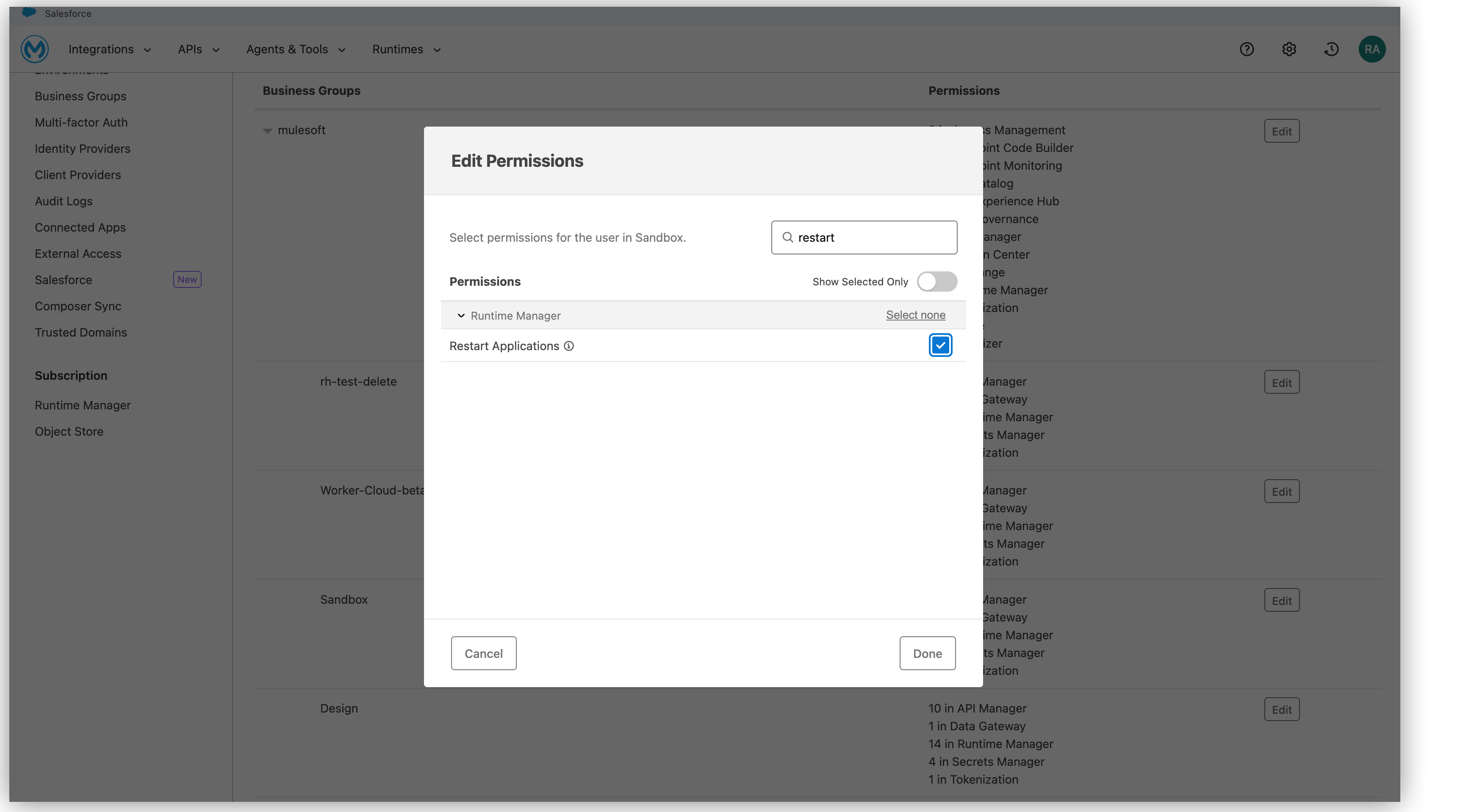
-
Select the business groups to apply the permissions to.
-
Select the environments to apply the permission to.
-
Click Next.
-
Review the permissions and the business groups and environments they apply to, and then click Add Permissions.
The user now has the permissions to restart applications in the business groups and environments you specified.
| All application restart activities are tracked in the Access Management audit log. You can view the audit log by navigating to Access Management > Audit Log in Anypoint Platform. |
Restart an Application Using the Runtime Manager API
Restart a Mule application programmatically using the Runtime Manager API.
API Endpoint Specification
/organizations/{organizationId}/environments/{environmentId}/actions/restart:
  post:
    tags:
    - Action
    description: Trigger restarting mule application action
    parameters:
    - name: organizationId
      in: path
      required: true
      schema:
        type: string
    - name: environmentId
      in: path
      required: true
      schema:
        type: string
    requestBody:
      content:
        application/json:
          schema:
            $ref: "#/components/schemas/ActionExecutionRequest"
      required: true
    responses:
      "400":
        description: Bad Request
      "202":
        description: OK
        content:
          application/json:
            schema:
              $ref: "#/components/schemas/AmcActionResponse"
      "403":
        description: Forbidden
      "404":
        description: Not Found
Path parameters:
-
organizationId(required, string): Your organization ID -
environmentId(required, string): The environment ID where the application is deployed
Request body:
{
  "type": "RESTART_APPLICATION",
  "options": {
    "applicationName": "your-application-name",
    "deploymentId": "your-deployment-id"
  },
  "selector": {}
}
Request body schema:
The request body must conform to the ActionExecutionRequest schema:
-
type(required, string): Must be set toRESTART_APPLICATION -
options(required, object):-
applicationName(required, string): The name of the application to restart -
deploymentId(required, string): The deployment ID of the application
-
-
selector(required, object): An empty object
Responses:
-
202 Accepted: The restart request was successfully accepted. Returns anAmcActionResponseobject. -
400 Bad Request: The request was malformed or missing required parameters -
403 Forbidden: You don’t have permission to restart the application -
404 Not Found: The application or deployment was not found
Example cURL Command
curl --location 'https://anypoint.mulesoft.com/amc/application-manager/api/v2/organizations/{organizationId}/environments/{environmentId}/actions/restart' \
--header 'Authorization: Bearer {access-token}' \
--header 'Content-Type: application/json' \
--data '{
  "type": "RESTART_APPLICATION",
  "options": {
    "applicationName": "my-application",
    "deploymentId": "f295d257-6bb2-4b32-b47c-a4fcdbc2f196"
  },
  "selector": {}
}'
Replace {organizationId}, {environmentId}, {access-token}, and the values in the request body with your actual values.
After a successful API call (202 accepted response), you can monitor the application status in Runtime Manager to confirm that the restart completed successfully.