
Define Metadata for Components with the Metadata Editor
The Anypoint Studio metadata editor lets you define metadata for components that don’t expose it automatically, either manually, through an example, or through a schema.
Several elements in your Mule flow automatically expose metadata about the expected input and output.
This metadata is handled by DataSense and exposed during design time on every component of your flows, helping you debug your application and know if the expected data structure differs from what’s truly being sent. It also provides smart autocomplete options.
To use the drag and drop UI of the Transform Message Component, you must define its input and output metadata.
All metadata classes that you defined in the current Mule project are displayed in the Metadata Editor for you to select one if appropriate:
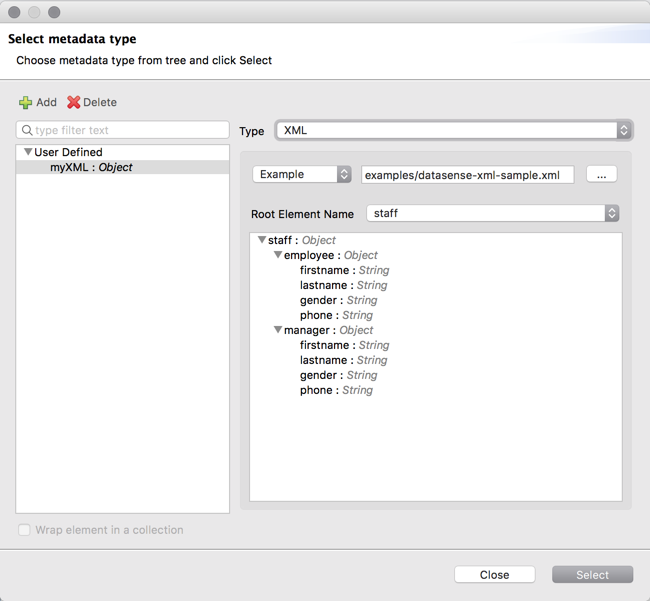
When defining the structure through the editor, you’re implicitly creating a schema for that type. These schemas are stored in your project’s src/main/resources folder, and you can open these and edit them freely on Anypoint Studio.
After you create a new type, you can associate any new metadata you create with this new type to avoid having to define it again.